
Notices & polls
Tell every resident, once.
Post notices where every resident can find them, run polls on decisions, follow complaints to the end, and keep minutes and documents in one register.
What communication looks like today
- Important notices scroll away in a busy WhatsApp group.
- Decisions go to whoever replies first in the group.
- AGM minutes live in someone's email.
How it works
- 1
Post a notice
The committee posts it once; residents see it in the app.
- 2
Run a poll
Ask residents a question and see how they vote.
- 3
Handle complaints
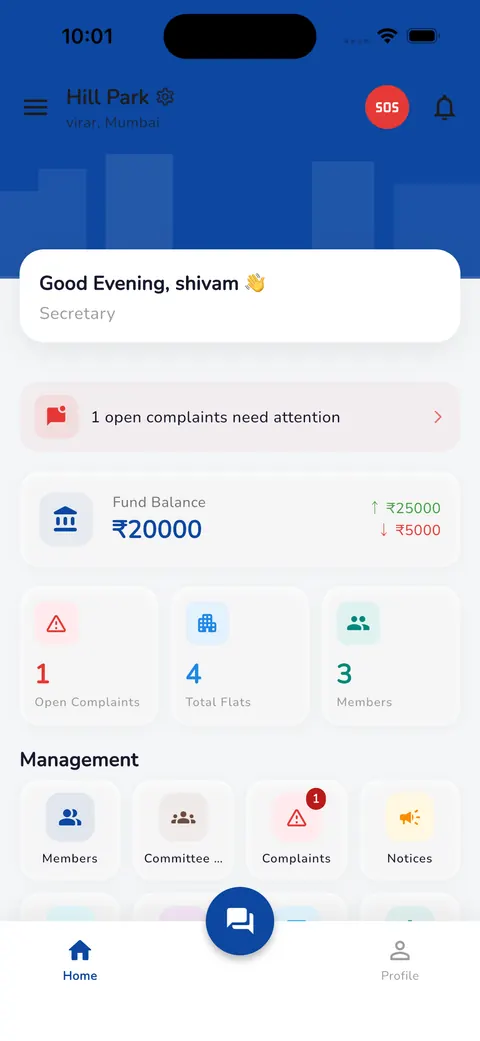
Residents raise complaints and follow them until they're fixed. Open ones stay on top for the secretary.
- 4
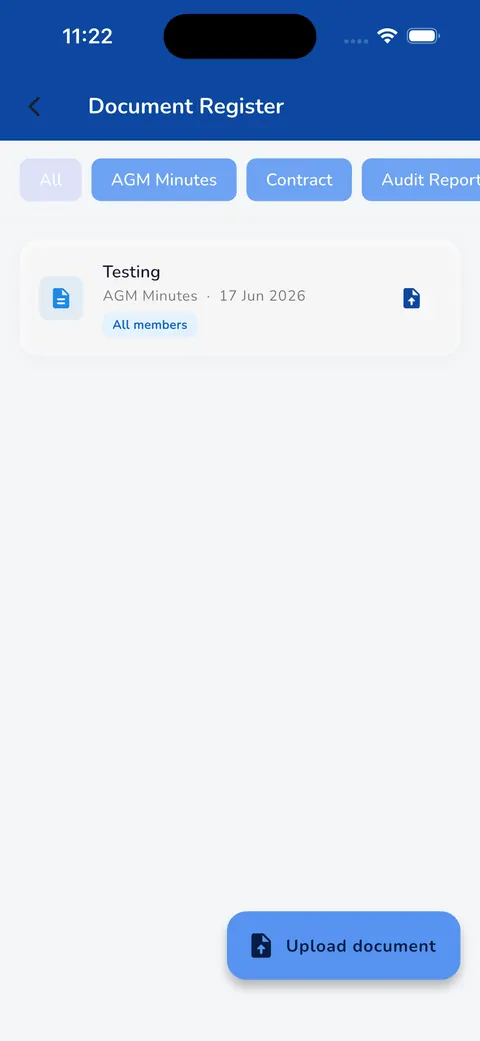
Keep records
Upload AGM minutes, contracts and audit reports, and choose who can see each one.
What changes
Nothing lost in the group
Notices stay where residents can find them.
Decisions on record
Poll results are there when someone asks later.
Complaints don't vanish
Open complaints stay visible until they're closed.


Common questions
Do we still need the WhatsApp group?
You can keep it for everyday chat. Neutrax is where notices, polls and records live, so they don't get lost.
Who can post notices?
The secretary and committee members.
See Neutrax with your own society's details.
Tell us a little about your society and we'll set up a short demo for your committee.